
Working with local AI models
Over the course of three months, I experimented with local AI models on a MacBook. This covered everything from selecting the provider and choosing the models to quantisation, parameter tuning and harnesses.
Contents
Since May, I’ve had the delight of experimenting and working with AI models through local providers, as well as different coding agents; not without thanks to the 36 GB of unified RAM on the MacBook I am working on.
I’d like to share the progress I’ve made since then on my local setup, which partially motivated me also to share my Thoughts on Resilience, Sustainability and Sovereignty in a previous post.
Bear in mind that the progress I am sharing here is that of an enthusiast in the field of agentic engineering, particularly in this context. With that in mind, let’s delve into my progress.
Provider
I opted for LM Studio because I enjoy the ease of use of the graphical user interface. The installation and onboarding processes were straightforward, and the hardware support was automatically configured and ready for use.
I experimented with Ollama in a previous attempt, and while I had no issues in terms of user experience or performance, I found the built-in model discovery and configuration features of LM Studio more appealing.
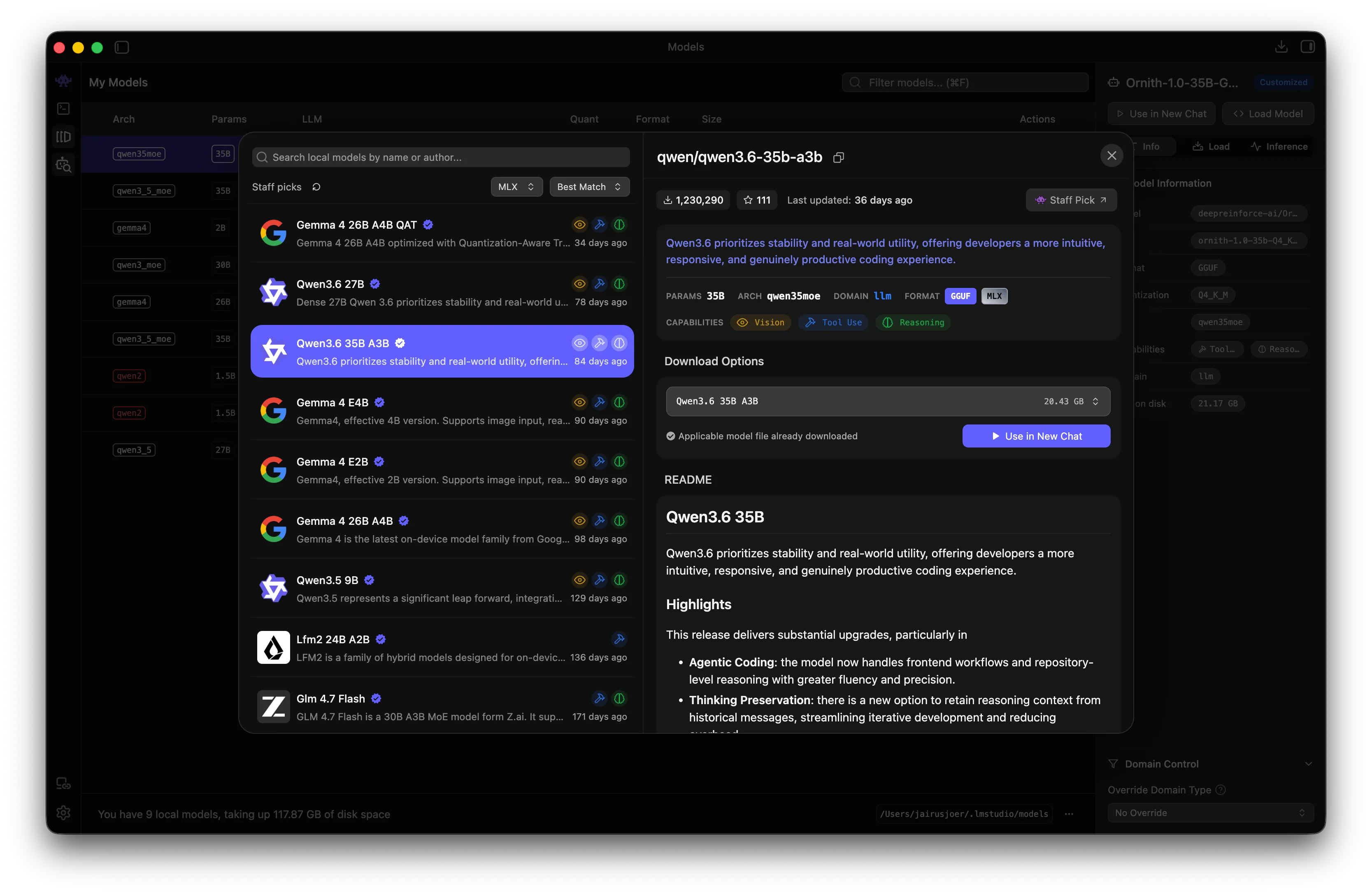
From the onboarding process to running my first model locally, I only needed to click through the model discovery. At the time, I had no knowledge of different quantisation approaches, such as MLX and GGUF.
Models
After installing and trying out some models via the built-in chat interface with varying success, I sat down and started experimenting with model sizes, quantisation and hardware support in order to make more informed decisions.
As my endeavour coincided with Google’s release of its newest models, particularly google/gemma-4-26b-a4b-qat, I was intrigued to try them out, having previously had positive experiences with their Gemini models.
Then there’s a model completely unfamiliar to me. Enter Alibaba’s qwen/qwen3.6-35b-a3b. Similar to Google’s model, it is a Mixture of Experts model, but, contrary to that, it did not undergo quantisation-aware training.
Qwen 3.6 35B A3B
qwen/qwen3.6-35b-a3b has been my primary choice of model since this experiment began in May. It’s running on MLX with 4bit quantisation and averages above 85+ tok/sec output, hitting high 90s on a good day.
I’ve mostly been using it for agentic engineering tasks, such as writing and debugging tests, maintaining and carrying out governance tasks, as well as simple to medium-complex, code-related menial work.
I’ve also used this model to adjust load parameters, deciding on a context length of 98,304 and a repeat penalty of 1.1 to solve repetition issues. In addition, I opted for ‘thinking’ and ‘preserved thinking’.
Gemma 4 26B A4B QAT
google/gemma-4-26b-a4b-qat is my second choice of model. Using the same quantisation and load parameters, its token output performance matches that of qwen/qwen3.6-35b-a3b.
I’ve been using it for work similar to that mentioned above, but primarily for research- and documentation-focused tasks. While this is purely subjective, I felt that Gemma responded better to this type of work.
It has also proven useful for projects and workloads that require more RAM, as it is approximately 5 GB smaller than the Qwen model, providing some additional capacity before memory begins to overflow.
Harnesses
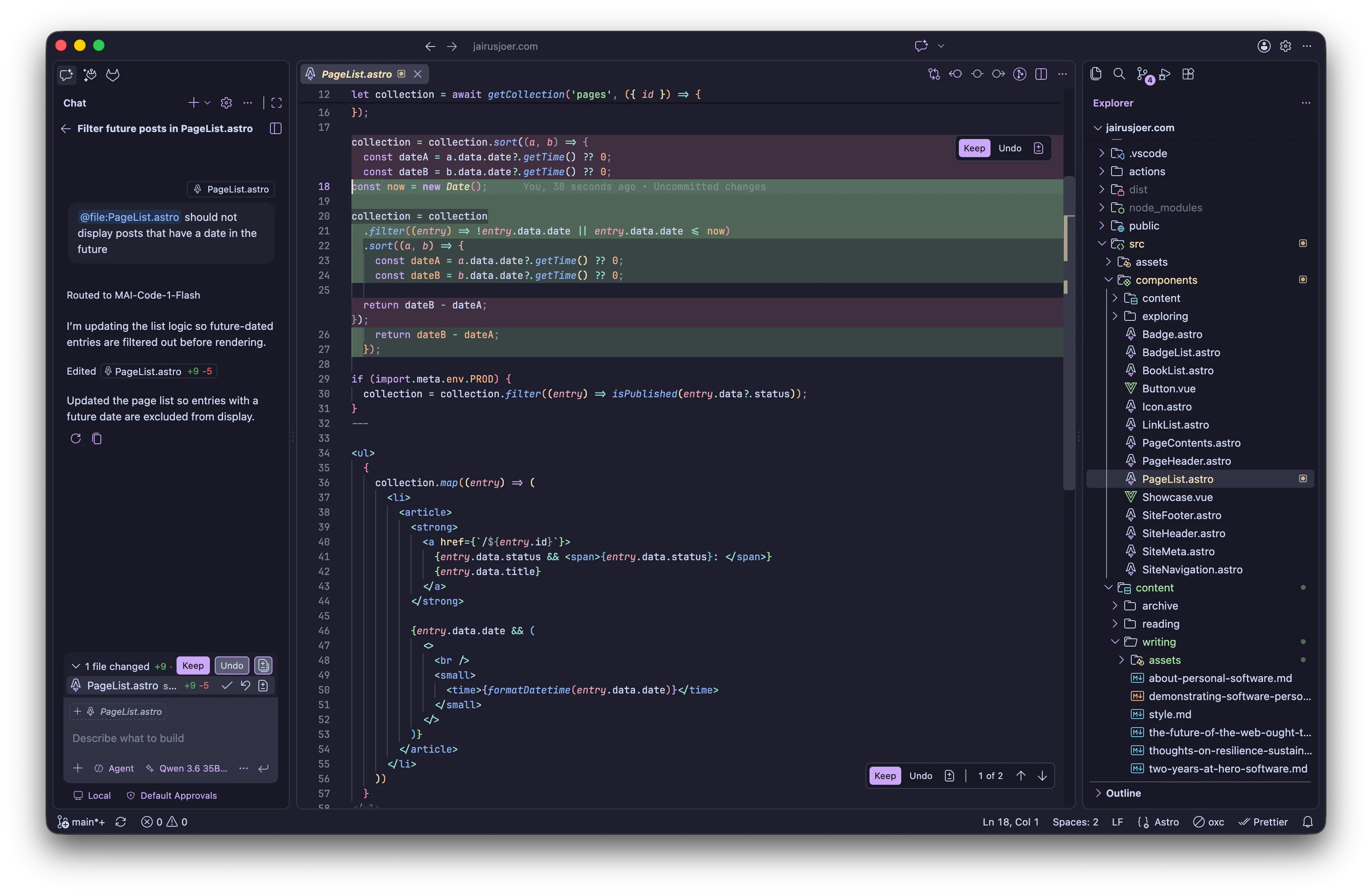
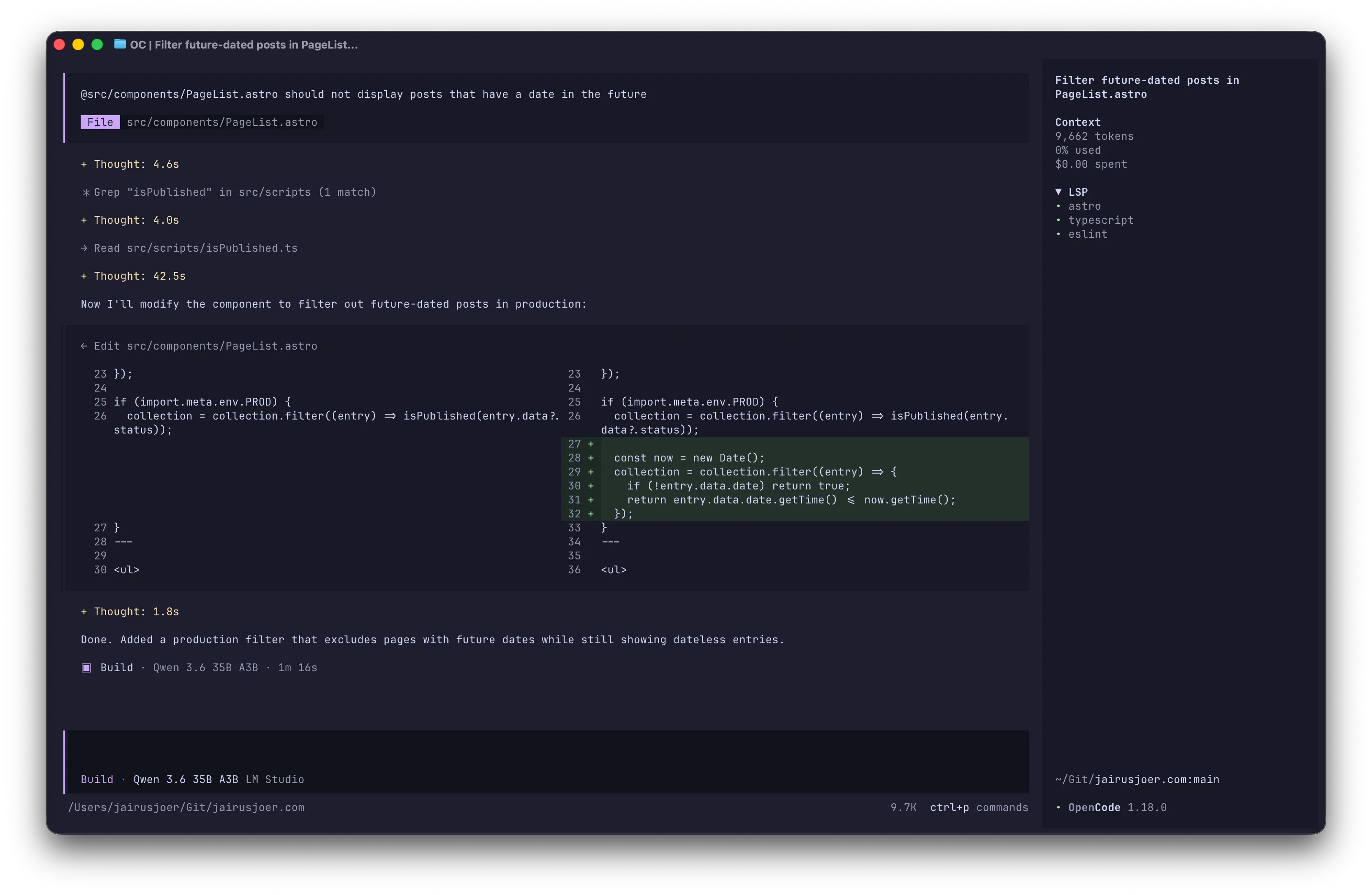
To interact with my chosen models in an agentic manner, I use GitHub Copilot in Visual Studio Code and OpenCode via the terminal to provide me with capable Plan and Build agents to work with.
Both harnesses have proven their worth in ongoing use cases against competitors such as Continue, Claude Code and Pi. While the others didn’t prevail, I have decided to give Pi another try.
I won’t discuss Pi in detail in this post, as I haven’t yet reached a conclusive stage in my experiments with it. Instead, I’ll focus on GitHub Copilot and OpenCode. Perhaps I will cover Pi in a future post.
GitHub Copilot
Even before I switched to local models, GitHub Copilot was my primary agentic driver, thanks to its extensive and reliable integration capabilities and its ability to interact with extensions.
The only issue I’ve had with GitHub Copilot so far is that it won’t suggest code completions based on local models. I tried using the Continue extension to resolve this, but there were ongoing problems with consistency.
GitHub Copilot requires a custom endpoint to connect to LM Studio, with manual entries for each model. Language model extensions are also available for popular providers and handle local model discovery automatically.
[
  {
    "name": "LM Studio",
    "vendor": "customendpoint",
    "models": [
      {
        "id": "qwen/qwen3.6-35b-a3b",
        "name": "Qwen 3.6 35B A3B",
        "url": "http://localhost:1234/v1/chat/completions",
        "toolCalling": true,
        "vision": true,
        "maxInputTokens": 49152,
        "maxOutputTokens": 49152
      },
      {
        "id": "google/gemma-4-26b-a4b-qat",
        "name": "Gemma 4 26B A4B QAT",
        "url": "http://localhost:1234/v1/chat/completions",
        "toolCalling": true,
        "vision": true,
        "maxInputTokens": 49152,
        "maxOutputTokens": 49152
      }
    ]
  }
]OpenCode
OpenCode has established itself as my primary harness of choice and delivers a satisfactory agentic coding experience for my needs. Both the out-of-the-box experience and the interface are incredibly intuitive.
I haven’t encountered any ongoing issues with OpenCode that haven’t resolved themselves. I did encounter some minor issues with subagents and tool calls during the initial sessions, but it has been consistently reliable since then.
Configuration for OpenCode is placed in ~/.config/opencode/opencode.jsonc. For convenience when working with strongly typed and styled code, I’ve opted for LSP and Formatting, as well as my shell of choice, fish.
{
  "$schema": "https://opencode.ai/config.json",
  "plugin": [],
  "lsp": true,
  "formatter": true,
  "shell": "fish",
  "provider": {
    "lmstudio": {
      "npm": "@ai-sdk/openai-compatible",
      "name": "LM Studio",
      "options": {
        "baseURL": "http://localhost:1234/v1"
      },
      "models": {
        "qwen/qwen3.6-35b-a3b": {
          "name": "Qwen 3.6 35B A3B"
        },
        "google/gemma-4-26b-a4b-qat": {
          "name": "Gemma 4 26B A4B QAT"
        }
      }
    }
  }
}~/.config/opencode/opencode.jsoncExperience
After three months of daily use, I have seen both the potential and limitations of local AI models. Latency is negligible, privacy is absolute and the speed of iteration is much faster than waiting for cloud or usage queues.
Qwen has reliably handled my primary agentic work, while Gemma has quietly proven its worth for research and documentation. Neither model is a match for the frontier labs, but both remain more than capable for daily engineering tasks.
The harnesses themselves required most of my patience. Tool calling, subagents and context handling have all improved, as have I, though rough edges remain when pushing either model beyond its memory or comfort zone.
Conclusion
This setup has served me well over the past three months and would be a good place to start for anyone interested in running capable models locally without any external dependencies for compute.
However, my experimentation doesn’t stop here. I’m currently trialling new models such as prism-ml/Bonsai-27B-AWQ-4bit, using Pi as a harness and continuing to refine the parameters. A follow-up post may well follow.
I am genuinely excited about the future of local AI, particularly in terms of self-hosting, agentic engineering and the eventual integration of on-device models into everyday software.
Until next time
Yours truly, Jairus Joer